
Photos carry GPS positions and phone models, documents carry authors and edit history, and AI images carry their prompts and workflows. MetaScrub shows all of it, lets you edit it, and removes what you don't want to share.
What it does
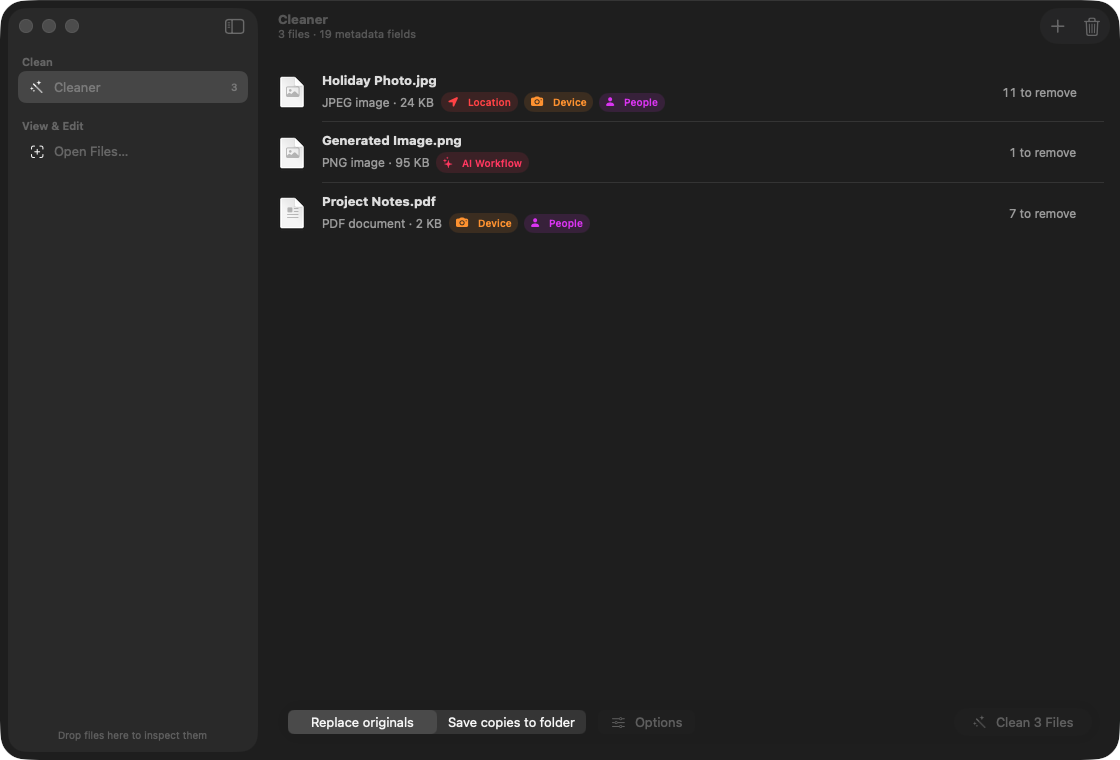
Cleaner
Drop files or whole folders and press Clean. Each file shows what it gave away (location, device, people, history) and how many fields were removed. Replace the originals or save clean copies to a folder.
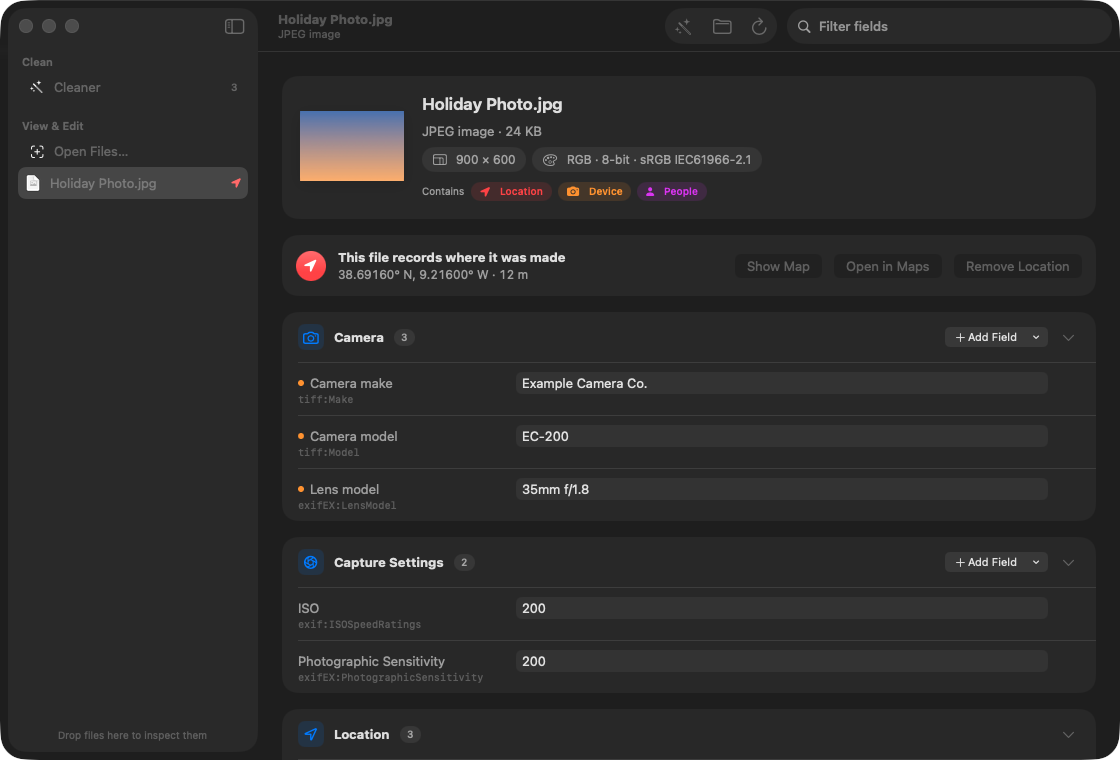
Viewer
See every field, grouped into sections. Click a value to edit it, remove single fields or add new ones, then Save, Save As or Revert.
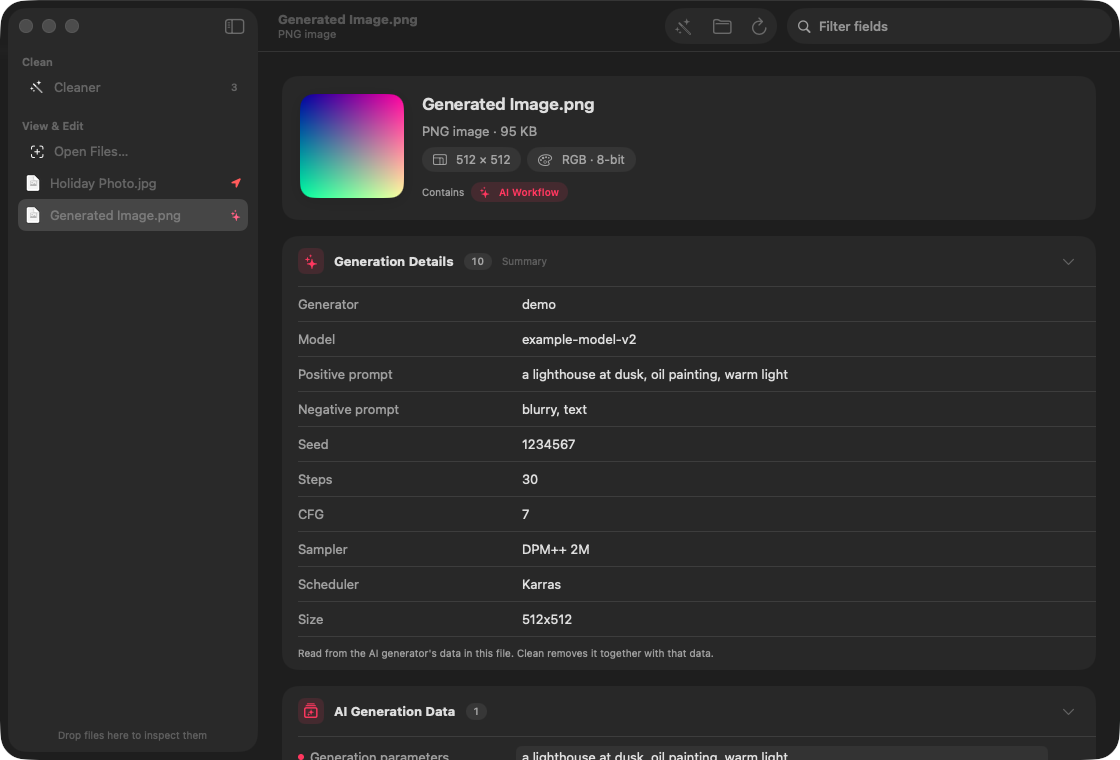
AI image data
Recognises what ComfyUI, Automatic1111/Forge, Draw Things, InvokeAI, SwarmUI, NovelAI and Fooocus save in images, with a summary of model, LoRAs, prompts, seed and settings.
Leaves the content alone
Cleaning removes metadata, not quality. JPEG pictures keep their compressed data byte for byte, and when a file has to be re-saved, MetaScrub tells you.
Checks its own work
After cleaning, every file is read again. Anything still there is reported as kept rather than assumed gone.
Many formats
JPEG, PNG, HEIC, AVIF, WebP, GIF, TIFF, MP3, FLAC, WAV, AIFF, MP4, MOV, M4A, PDF, Word, Excel, PowerPoint and OpenDocument, plus the “downloaded from” records macOS attaches to any file.
Good to know
- Nothing leaves your Mac. A photo's map loads only when you press Show Map, and then fetches tiles from Apple Maps.
- Some things stay out of reach: names inside PDF pages and Office comments aren't changed, and Ogg, Matroska, EPUB and camera raw files are read-only or not read. The full list is on GitHub.